Start here

Learn the engine by finishing tiny games.

Opal is easiest to learn in short loops: place something, wire one behavior, press Play, then publish. This page turns the manual into a practical path.

1MakePlace art and objects.
2WireAdd behavior with Flow.
3PlayTest in the viewport.
4PublishSend it to the arcade.
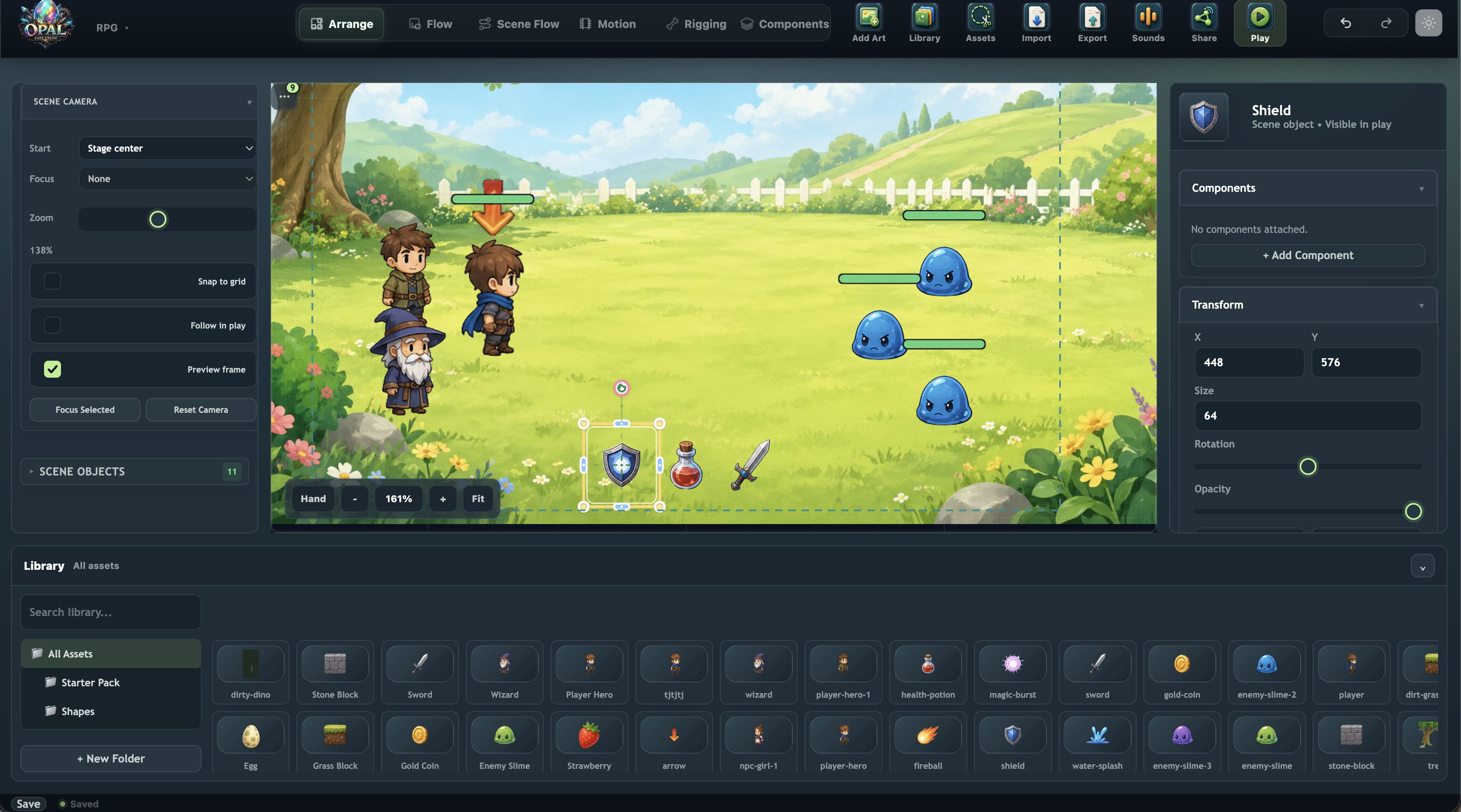
Opal editor showing a game scene, assets, and inspector panels

Your first hour in Opal

Follow these in order. Each step ends with something visible, playable, or saved.

Recommended path

1

Create a project

Learn projects, scenes, the stage, and the save loop.

Open
2

Build a coin collector

Add art, GameState, tap behavior, feedback, UI, and export.

Open
3

Learn the editor map

Arrange, Object Flow, Scene Flow, Motion, Art, Components, Scripts, and UI.

Open
4

Bake sprite animation

Slice sheets, assemble frames, preview timing, and save .ssb bundles in Art Canvas.

Open
5

Publish to the arcade

Package, publish, share, update, and decide whether a game is remixable.

Open

Choose your lane

After the first game, jump to the part of the engine that matches what you want to make next.

Playable practice: coin collector

Practice project: one-screen arcade game

Use this checklist any time you feel stuck. If every line is true, you have a complete Opal loop.

One scene with a background, player object, and collectible.
One variable for score, health, timer, or progress.
One Flow rule that responds to input or collision.
One UI element that shows the game state changing.
One published build on the arcade, even if it is tiny.

Ready to build the first one?

Open the editor in one tab and keep the first-game walkthrough in another.